
LatentCore Welcomes Trellis.2: From a Single Image to Usable 3D Assets, and Into Video Production
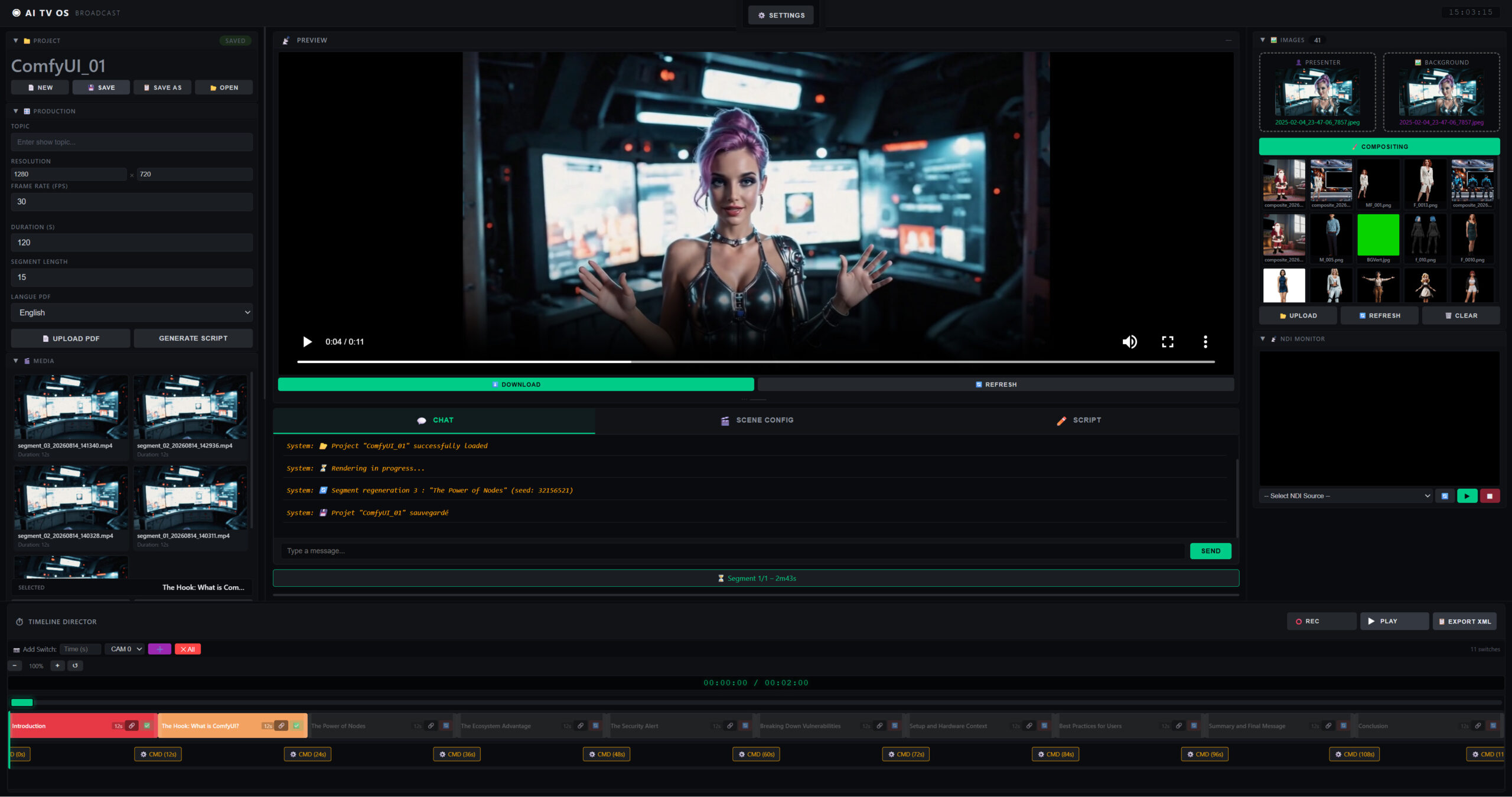
In AI video production, visual consistency across characters, sets, and props is a core challenge. LatentCore has been addressing this with virtual presenters, its Asset Manager, and the V2V Editor. Now we’re adding Trellis.2 to fill the crucial missing link: generating high-quality 3D assets with full PBR materials from a single image — and putting them directly to work in video production.
What Is Trellis.2?
Trellis.2 is an open-source image-to-3D generation model released by Microsoft Research in December 2025. With 4 billion parameters, its core innovation is a sparse voxel representation called O-Voxel. Unlike traditional methods based on level-set fields, O-Voxel handles open surfaces, non-manifold geometry, and enclosed internal structures — enabling it to correctly generate objects like leaves, clothing, or transparent containers.
Another major strength: native PBR material generation. Trellis.2 outputs base color, roughness, metallic, and transparency maps alongside the geometry, rather than a white mesh to be textured afterward. The exported GLB assets can therefore be imported directly into Blender, Unity, or Unreal Engine.
Trellis.2 is an open-source image-to-3D · Visit Trellis.2 →LatentCore in a Nutshell
LatentCore is an AI-powered video production studio. According to its user guide, it automatically writes scripts from a topic or a PDF, generates videos with a virtual presenter, manages a library of assets (characters, locations, objects), and drives a virtual camera in 3D set software via the FreeD protocol. It also includes a real-time NDI monitor and a V2V video retouching editor.
Its generation engine is built on ComfyUI, scriptwriting relies on Ollama, and the whole thing is designed so that users without a technical background can run the complete workflow, from script to final video.
How Trellis.2 Works Inside LatentCore
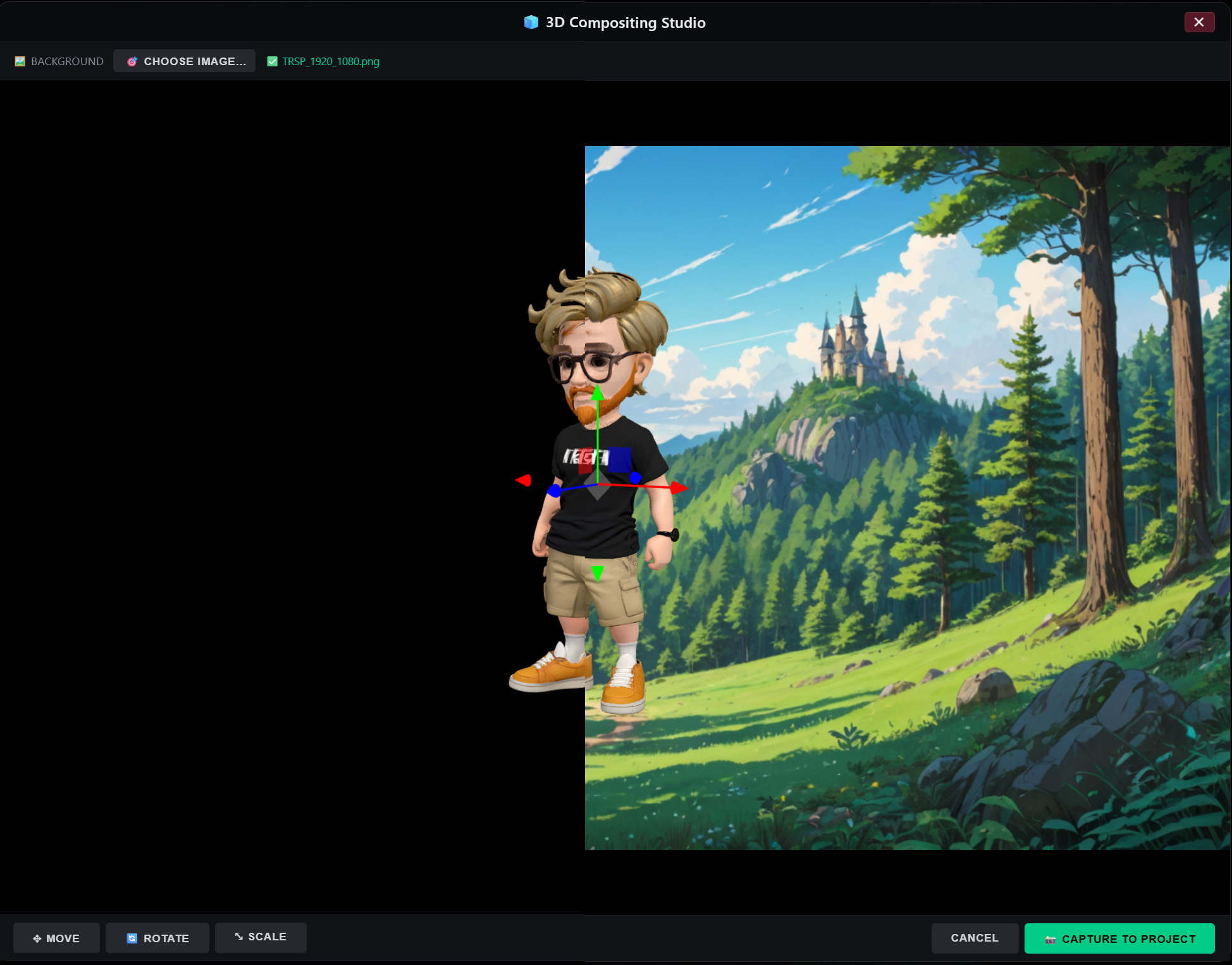
LatentCore integrates Trellis.2 into the 3D Compositing Studio, forming a 2D → 3D → 2D pipeline:
Generate the 3D Model
From the Asset Manager, any asset with a reference image can be converted into a 3D model via Trellis.2.
Adjust in the Studio
Pick a background, then position, rotate, and scale the model with Blender-style controls (W / E / R).
Capture and Use
Capture the composite as a PNG at the background’s exact resolution, then use it as a presenter or set in LatentCore.
What It Changes in Practice
Character Consistency
One 3D model, multiple captured angles: the character stays identical from scene to scene.
Controlled Sets
Place a 3D prop exactly where you want on a background, then capture it as a set.
Broadcast Precision
The capture uses the background’s exact resolution and aspect ratio: no cropping or letterboxing surprises.
With Trellis.2, LatentCore’s asset pipeline moves from “managing 2D images” to “generating and manipulating 3D assets.” You’re still producing 2D video, but the process now includes a three-dimensional step that can be rotated, scaled, and placed with precision. For projects requiring strict visual consistency, the control this step offers is well worth trying.